
Schedule and send reports
Scheduling reports allows you to automate the process of generating and distributing reports to stakeholders on a regular basis. By setting up a schedule, you can ensure that the right people receive the most up-to-date information without manual intervention, keeping everyone informed and aligned with the most recent data insights.
- Go to Analytics > Dashboards and select the dashboard.
- From the Schedule and Send drop-down, select Add new.
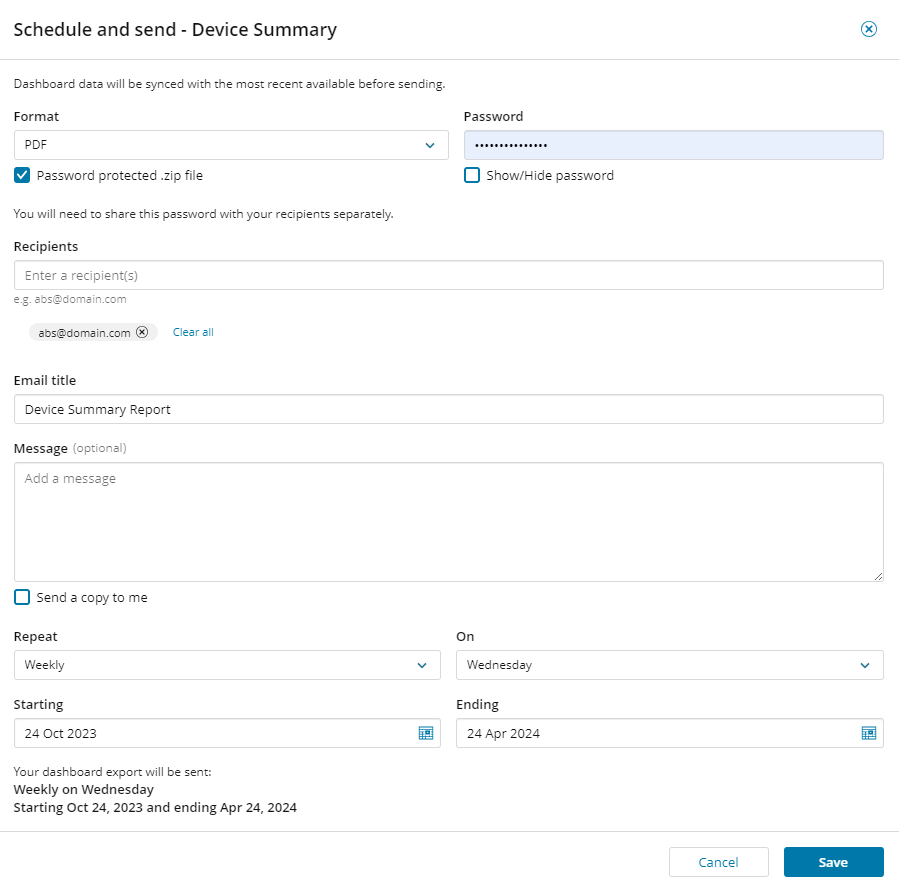
- Enter the requested information:
- Select the format for the report; PDF or PowerPoint.
- Select Password protected .zip file and enter a password if you want to make the report password protected. (optional)
- Enter the recipient email addresses and enter you email title and message.
- Select the schedule details.
- Click Save.